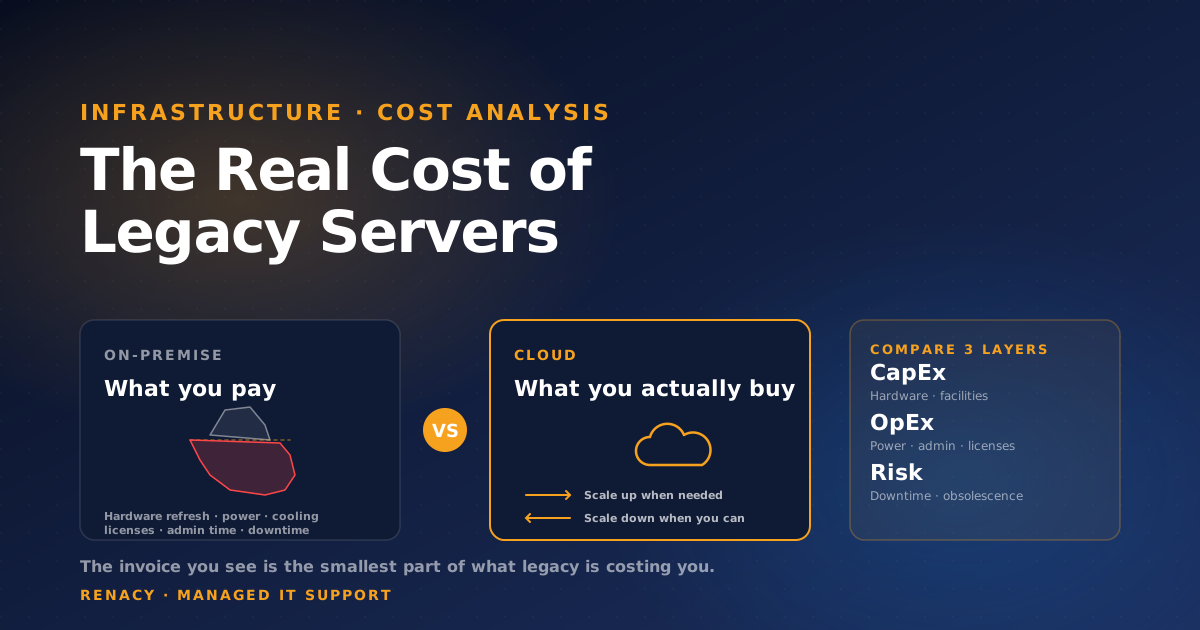
The most common conversation we have about legacy infrastructure goes like this: "Our servers are paid for. The cloud would cost us money every month. Why would we move?" That math is wrong — not because the cloud is always cheaper, but because the hardware invoice is the smallest part of what the legacy environment actually costs to run.
This piece walks through the real cost comparison: not just what shows up on the IT budget line, but the operational time, the risk premium, the downtime exposure, and the refresh cycle that's coming whether you've budgeted for it or not. The goal isn't to argue that everything should be in the cloud — some workloads genuinely belong on-premise — but to make sure the decision is based on the full picture, not the cropped one.
What People See vs What They're Actually Spending
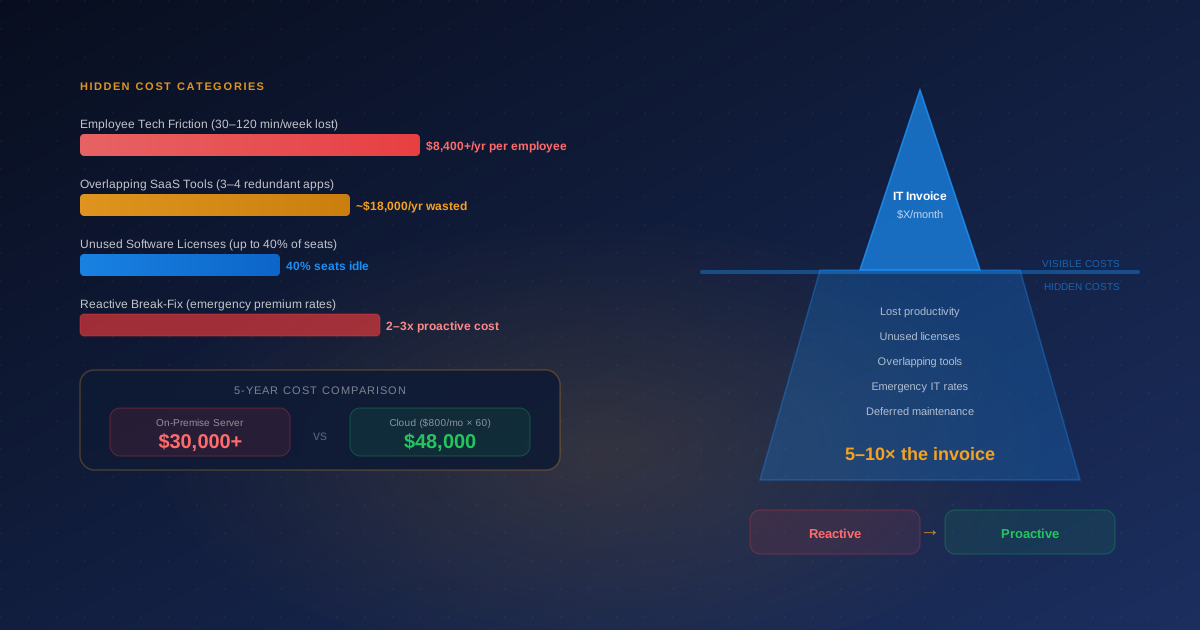
When a finance team looks at legacy infrastructure cost, they see hardware depreciation, a software licensing line, and maybe an IT services contract. That accounts for roughly half of what the environment is costing the business in total. The other half is distributed across other budget lines or absorbed into staff time — invisible to anyone reading the IT cost report.
Power & Cooling
A small server rack at typical utilization can run $200–500 per month in electricity, depending on regional rates. Cooling adds 30–50% more. Across a 4–5 year life, that's $15k–40k that often gets buried in facilities expense.
Administrative Time
Patching, monitoring, backup management, capacity planning, and hardware troubleshooting consume real hours. For a typical small server environment, expect 8–15 hours per month of skilled IT time. At fully loaded labor rates, that's $15k–30k annually that's rarely tracked as infrastructure cost.
Software Licensing
Windows Server, SQL Server, virtualization licenses, backup software, monitoring tools. These renew on hardware lifecycles — and refresh-tied licensing changes have a way of producing surprise bills at the worst times.
The Refresh Cycle
Server hardware lasts 4–6 years before reliability and support concerns force replacement. The capital outlay of a refresh — hardware, migration time, software re-licensing — often runs 60–80% of the original deployment cost. Many businesses don't budget for it until it's urgent.
Downtime Exposure
When legacy hardware fails — and it does, on a predictable curve as it ages — the cost of downtime per hour is rarely accounted for in the infrastructure budget. For a business that depends on a file server or line-of-business application, even modest outages add up to meaningful annual losses.
Risk Premium
Older operating systems lose vendor support and stop receiving security patches. Insurance carriers price this in. Customers and prospects ask about it in vendor questionnaires. The cost is real even when nothing has gone wrong yet.
A Realistic 5-Year TCO Comparison
The numbers below come from typical mid-sized business scenarios — roughly 5 to 10 servers supporting standard business workloads. They're illustrative, not absolute, and a real comparison for your environment requires actual usage data. The point is the structure of the comparison: where each model wins and where each loses.
The illustrative range above assumes standard cloud sizing. If you lift-and-shift inefficient workloads without right-sizing, cloud costs balloon. If your on-premise environment is highly utilized and well-managed with stable workloads, the on-premise number can come in 30–40% lower than the range shown. The exact answer always depends on the workload — but in almost every mid-sized business comparison we run, the cloud TCO is meaningfully lower over a 5-year horizon.
Where the Cloud Actually Wins
Elastic Workloads
If your compute needs change — month-end batch jobs, seasonal spikes, growing user base, periodic large file processing — the cloud's ability to scale up and back down is genuine economic value. On-premise environments are sized for peak. The capacity you bought for the busiest hour of the year sits idle the rest of the time. The cloud charges you only for what you use.
Disaster Recovery and Backup
Building a real disaster recovery capability on-premise — geographically separated copies, tested restoration, automated failover — is expensive and operationally heavy. Cloud-native DR services deliver the same outcomes for a fraction of the cost and complexity, and they're tested implicitly by the provider operating them at scale.
Hardware Lifecycle
The 5-year refresh cycle is the most underappreciated cloud advantage. Cloud providers replace hardware continuously, on their own schedule, with no operational impact on your workloads. On-premise refreshes are capital projects that consume IT bandwidth and create migration risk.
Security Patches and OS Currency
Cloud-hosted managed services (Microsoft 365, managed databases, SaaS line-of-business apps) shift patch management to the provider. For on-premise servers running supported OS versions, patching is your team's job — and the cost of missing one is significant. For unsupported OS versions, patching isn't even available.
Where On-Premise Still Makes Sense
Some workloads are genuinely cheaper or more appropriate to run on-premise, and the answer isn't always cloud-first. The honest comparison includes these.
| Scenario | Why On-Premise Wins |
|---|---|
| High-throughput, steady-state compute | Predictable load and high utilization means cloud's pay-as-you-go advantage disappears |
| Strict data residency requirements | Some regulated environments require physical control over where data sits |
| Existing depreciated investment | Sunk hardware cost makes year 1–2 economics favor keeping equipment running |
| Legacy applications that won't refactor | Lift-and-shift of badly behaved monoliths can cost more than maintaining current setup |
| Local low-latency requirements | Manufacturing floor systems, certain real-time workloads, on-site backup targets |
The Decision Framework We Actually Use
For most mid-sized businesses, the right answer isn't "everything to cloud" or "keep everything on-premise." It's a workload-by-workload assessment that asks four questions:
1. How elastic is the workload?
Variable or growing load strongly favors cloud. Steady-state load with high utilization weakens the cloud advantage. Map your top workloads to this curve before generalizing.
2. What's the depreciation status?
Fully depreciated equipment running well can deliver another year or two of cheap service. Equipment approaching end of life is a refresh decision in disguise — and that's the right time to evaluate cloud.
3. What compliance constraints apply?
Some industries (regulated healthcare, certain financial workflows, defense contracting) have data location and audit requirements that affect cloud feasibility. Most don't — but verify before assuming.
4. What's the operational cost honestly?
Build the full TCO including the items above — power, cooling, admin time, refresh, downtime. The on-premise total is almost always larger than the budget line implies.
Frequently Asked Questions
Is the cloud actually cheaper than on-premise servers?
It depends on the workload. For variable or growing workloads, the cloud is almost always cheaper at total cost of ownership because you don't pay for idle capacity or hardware refreshes. For steady-state workloads with predictable load — and an IT team already in place — well-managed on-premise can be competitive. The trap is comparing only the cloud monthly bill to the on-premise hardware invoice. The real comparison includes power, cooling, admin time, licenses, downtime, and the cost of a refresh cycle you're not budgeting for.
What are the hidden costs of keeping legacy servers?
Power and cooling (often 20–40% of TCO for on-premise), administrative time, software licensing renewals tied to hardware, the eventual refresh cycle (every 4–6 years), the risk premium of running unsupported operating systems, downtime cost when hardware fails, and the security exposure of older infrastructure. Most of these never appear as a line item — they're absorbed into IT staff time or paid as one-off events.
When does on-premise actually beat the cloud?
Three scenarios: (1) high-throughput steady-state workloads where compute is the dominant cost and predictable, (2) strict data residency or regulatory requirements that cloud providers can't easily meet, (3) environments with existing significant on-premise investment that hasn't depreciated yet. For most mid-sized businesses with variable load and standard compliance needs, cloud is the better total economic answer.
How long does a typical server-to-cloud migration take?
For a small to mid-sized business with 3–10 on-premise servers, expect 6–14 weeks from planning to full cutover. The biggest variables are application complexity (lift-and-shift is faster than refactoring), database migration, and the parallel-run period you want before retiring on-premise hardware. Rushed migrations cost more than careful ones because the rework dominates the savings.
What's the riskiest part of staying on legacy servers?
The combination of unsupported software (no security patches), aging hardware (rising failure rate), and the lack of documented recovery procedures. When the hardware fails — and it does — most legacy environments discover that the recovery plan that worked five years ago no longer applies. Backup tapes don't read, the engineer who knew the setup left, and the application doesn't run on modern hardware without significant work.

Renacy is a managed IT support provider serving businesses across New York, New Jersey, Pennsylvania, Connecticut, Massachusetts, Maryland, and Washington DC. Our team specializes in proactive device monitoring, helpdesk support, cloud backup & disaster recovery, and network infrastructure management. Learn more about Renacy →