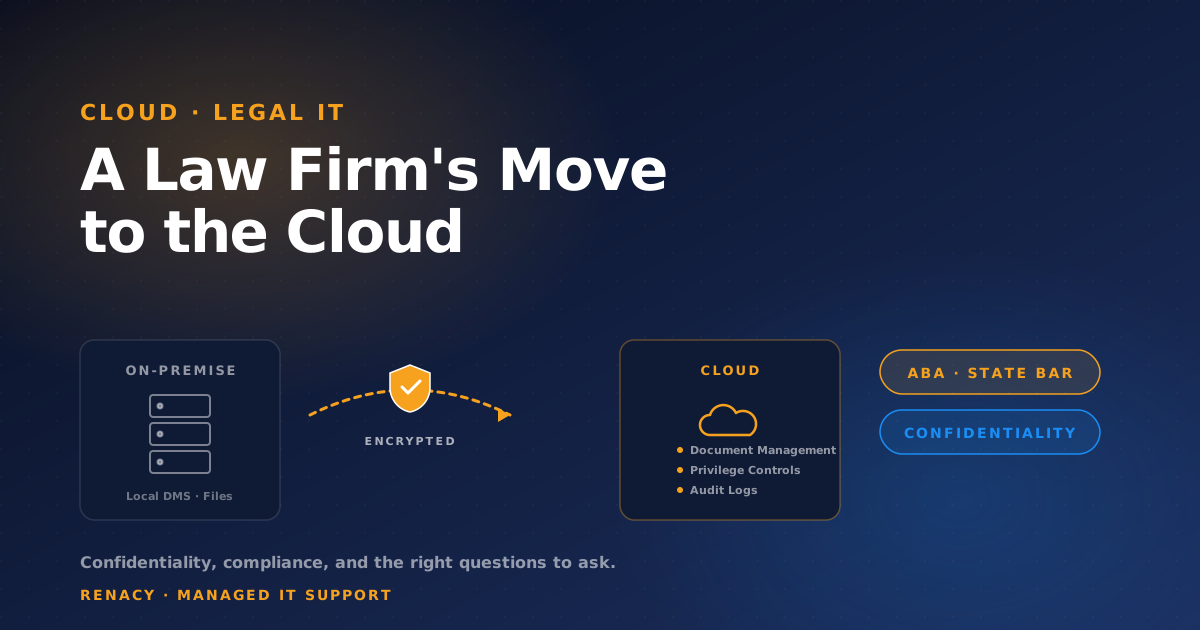
Law firms move to the cloud later than most industries — and for good reason. The cost of getting it wrong is paid in privileged communications, regulatory complaints, and the kind of malpractice exposure that doesn't come back from a polished apology. Done correctly, though, the cloud is more secure and more compliant than what most firms are running on-premise today.
The conversation has shifted in the last five years. The American Bar Association, state bar associations, and major malpractice insurers have all moved from skeptical neutrality to active endorsement of cloud-based legal IT — provided firms exercise reasonable care in their selection and configuration. The key phrase is "reasonable care." That's where most firms get into trouble.
If you're evaluating a cloud migration — whether for email, document management, practice management, or all of the above — there are concrete questions to answer before signing anything, and concrete questions to ask any IT provider competing for the work. Here's how to think about it.
What "Reasonable Care" Actually Means
Model Rule 1.6(c) requires attorneys to make "reasonable efforts" to prevent unauthorized disclosure of client information. ABA Formal Opinion 477R applied that standard to electronic communications and cloud storage. State bars have followed with their own opinions — most permitting cloud use, none mandating specific technology, but all requiring lawyers to understand what they're using and how it's configured.
In practice, "reasonable care" for a cloud migration breaks down into a few concrete elements: vetting the provider, understanding the security architecture, controlling and auditing access, and being able to retrieve data if the relationship ends. None of those happen automatically. They happen because someone made deliberate decisions during migration design.
Confidentiality
Encryption at rest and in transit, plus controls that prevent the cloud provider's own staff from accessing client data without firm authorization. The relevant question isn't whether the data is encrypted — it's who holds the keys.
Compliance Frameworks
Beyond bar rules, firms increasingly face client-imposed requirements: SOC 2 reports, vendor security questionnaires, sometimes specific certifications (HIPAA for healthcare clients, ITAR for defense, FINRA for financial services). The cloud platform must support these.
Access Controls & Audit
Who can access what, and is there a reliable record of every access event? Conflict walls, ethical screens, and matter-level access controls need to be enforceable in the cloud platform — not just policy on paper.
Data Residency & Retention
Where is client data physically stored? How long is it retained? Can you export it cleanly if you change providers? These answers belong in the migration plan, not the post-migration scramble.
The Three Migrations Most Firms Face
A "cloud migration" for a law firm usually means one or more of three distinct projects, each with different risk profiles and different vendor selection criteria.
1. Email and Productivity (Microsoft 365 or Google Workspace)
The most common starting point and the lowest-friction. Microsoft 365 is the dominant choice in legal because it integrates with most legal-specific tools and offers compliance features (information protection, retention policies, eDiscovery) that are difficult to replicate elsewhere. The migration itself is well-understood, but the configuration choices around DLP, conditional access, and information rights management determine whether it's actually secure.
2. Document Management (DMS)
The highest-stakes piece of a legal cloud migration. Cloud-native legal DMS platforms — iManage Cloud, NetDocuments, and similar — are now mature, but the migration from an on-premise DMS is rarely simple. Document version histories, ethical walls, matter associations, and access logs all need to come across cleanly. A poorly executed DMS migration can break privilege protections that took years to build.
3. Practice Management and Time/Billing
Clio, MyCase, ProLaw, Aderant, Rippe & Kingston — most modern practice management platforms are cloud-native. The migration question is usually about consolidating from older on-premise systems, often with significant historical data that needs to retain its integrity for ethics and tax purposes. Plan for at least one full billing cycle to run in parallel.
The single most common law firm cloud migration mistake is treating the DMS like email. The DMS contains the firm's privileged work product across decades of matters. Its migration deserves dedicated planning, an attorney sponsor on the project team, and a parallel-run period before retiring the on-premise system. Rushing it to save 30 days creates risk that lasts for the lifetime of the firm.
Questions to Ask Any IT Provider Competing for the Work
The right managed IT provider for a law firm is not necessarily the right one for a logistics company or a restaurant chain. Legal-specific experience matters because the controls, frameworks, and risk tolerances are different. These are the questions that separate providers who understand legal IT from those who treat it as "another industry."
How many law firms do you currently support, and at what size?
Specifics matter. A provider supporting fifteen firms ranging from 5 to 80 attorneys has institutional pattern recognition that you want. A provider supporting one law firm doesn't.
Which document management systems have you migrated to the cloud, and how many times?
iManage and NetDocuments migrations are not generic IT projects. Ask for specifics. Hesitation here is a signal.
How do you handle privileged access? Who at your firm can see our data?
The right answer is some version of: "Privileged access is just-in-time, logged, and limited to specific named engineers. Routine support cannot read your data. Any access to client documents requires explicit firm approval."
What is your breach notification procedure, and how quickly will we know?
You need a written commitment, ideally tied to specific time windows that align with your client contracts and bar reporting obligations. "We'll tell you when we know more" is not an answer.
Will you sign a confidentiality agreement that meets the standards required by our largest client engagements?
Many corporate clients impose vendor security and confidentiality requirements that flow through to the firm's IT provider. Your provider should be able to read those requirements and sign without rewriting them.
What happens to our data if we end the relationship?
The right answer is a documented exit process: full export of all firm data in usable formats, a defined timeline for deletion of any copies the provider holds, and written certification that deletion is complete.
How do you handle ethical walls and matter-level access controls?
Conflicts and information barriers are not optional in a law firm environment. The provider should be able to explain how these are enforced technically — not just by policy — in your cloud configuration.
Pre-Migration Decisions That Are Hard to Reverse
Some choices made early in a cloud migration are genuinely difficult to change later. These deserve focused attention up front, not in the rush of the final cutover weekend.
| Decision | Why It's Hard to Reverse | What to Get Right |
|---|---|---|
| Tenant configuration (M365) | Many compliance settings cascade across mailboxes once enabled | Document settings, get attorney sign-off before activation |
| DMS folder structure | Once thousands of documents are filed, restructuring breaks links | Match firm matter management taxonomy from day one |
| Retention & legal hold policies | Premature deletion or improper hold can violate ethics rules | Map to firm's file retention policy and current legal holds |
| Access & conflict barriers | Hard to retrofit cleanly without operational disruption | Define ethical walls before migration, not after |
| Backup & archival strategy | Decisions about what's archived versus deleted shape future eDiscovery | Coordinate with firm's general counsel and litigation partners |
The Realistic Timeline
For a small to mid-sized firm — say, 10 to 50 attorneys — a full cloud migration that includes email, document management, and practice management typically takes 8 to 16 weeks from kickoff to full cutover. Larger firms (100+ attorneys) generally run longer because the change management, training, and partner communication burden grows non-linearly with size.
The pieces that take the most time are usually not technical. They're the firm-side decisions: who owns matter taxonomy in the new DMS, how access policies map to existing ethical walls, what the timeline looks like for retiring the old systems, and how the firm communicates change to clients who may have firmwide vendor questionnaires of their own.
Successful law firm migrations have an attorney sponsor on the project team — usually a partner with technology comfort and political capital inside the firm. IT-led migrations stall when partner concerns surface mid-project. Attorney-sponsored migrations resolve those concerns in the planning phase, when the cost of changing direction is still small.
Frequently Asked Questions
Is cloud storage compliant with attorney-client privilege?
Yes, when configured correctly. The American Bar Association and most state bars have explicitly approved cloud storage for client data, provided the firm exercises reasonable care: vetting the provider, using strong encryption, controlling access, and understanding where data is stored. Privilege isn't broken by cloud storage itself — it's broken by inadequate safeguards.
What ABA opinion governs cloud use by law firms?
ABA Formal Opinion 477R (2017) addresses confidentiality of client information in electronic communications, including cloud-based services. Combined with Model Rule 1.6(c), it requires lawyers to make reasonable efforts to prevent unauthorized access to client information. State bar opinions vary — most permit cloud use with appropriate safeguards, but the specific requirements differ by jurisdiction.
Should law firms use Microsoft 365 or Google Workspace?
Most law firms standardize on Microsoft 365 because of its tighter integration with legal-specific tools (iManage, NetDocuments, Worldox), more granular compliance controls, and stronger data residency options. Google Workspace is technically capable but less common in legal environments, where the practice management ecosystem is heavily Microsoft-centric.
How long should a law firm cloud migration take?
For a small to mid-sized firm (10–50 attorneys), expect 8–16 weeks from planning to full cutover. The largest variables are document management system migration, email cutover scheduling around active matters, and the firm's ability to communicate change through its partner committee. Rushed migrations create the most risk — and the most billing disruption.
What questions should we ask before signing with an IT provider?
Ask whether they have specific law firm experience, what compliance frameworks they support, how they handle privileged access (your data is highly sensitive — who at their firm can see it?), how they document and audit access, what their breach notification procedure looks like, and whether they will sign a confidentiality agreement that meets your client requirements. Vague answers are a warning sign.
Related reading: IT Support for Legal & Law Firms →

Renacy is a managed IT support provider serving businesses across New York, New Jersey, Pennsylvania, Connecticut, Massachusetts, Maryland, and Washington DC. Our team specializes in proactive device monitoring, helpdesk support, cloud backup & disaster recovery, and network infrastructure management. Learn more about Renacy →